


Scribe
How it worksThe editorDictationYour AIPricing
Come in

Give your keyboard a rest.

Scribe listens to your meetings and hands back the whole text, with everyone’s tasks and the document, linked to your favourite AI so you never miss a thing.Scribe listens to your meetingsyour lecturesyour interviewsyour brainstormsyour doctor’s visitsyour pitchesyour job interviews
and hands back the whole text, with everyone’s taskswhat to rememberthe exact quotesevery ideathe doctor’s advicethe jury’s questionsevery answer
and the document, linked to your favourite AI so you never miss a thing.

Come inWatch a meeting write itself
  • Webavailable
  • Windowsbeta
  • Android™beta

About 12 € a month for 20 hours of recordings, of which 6.99 € is Scribe and the rest goes straight to the transcription service*.

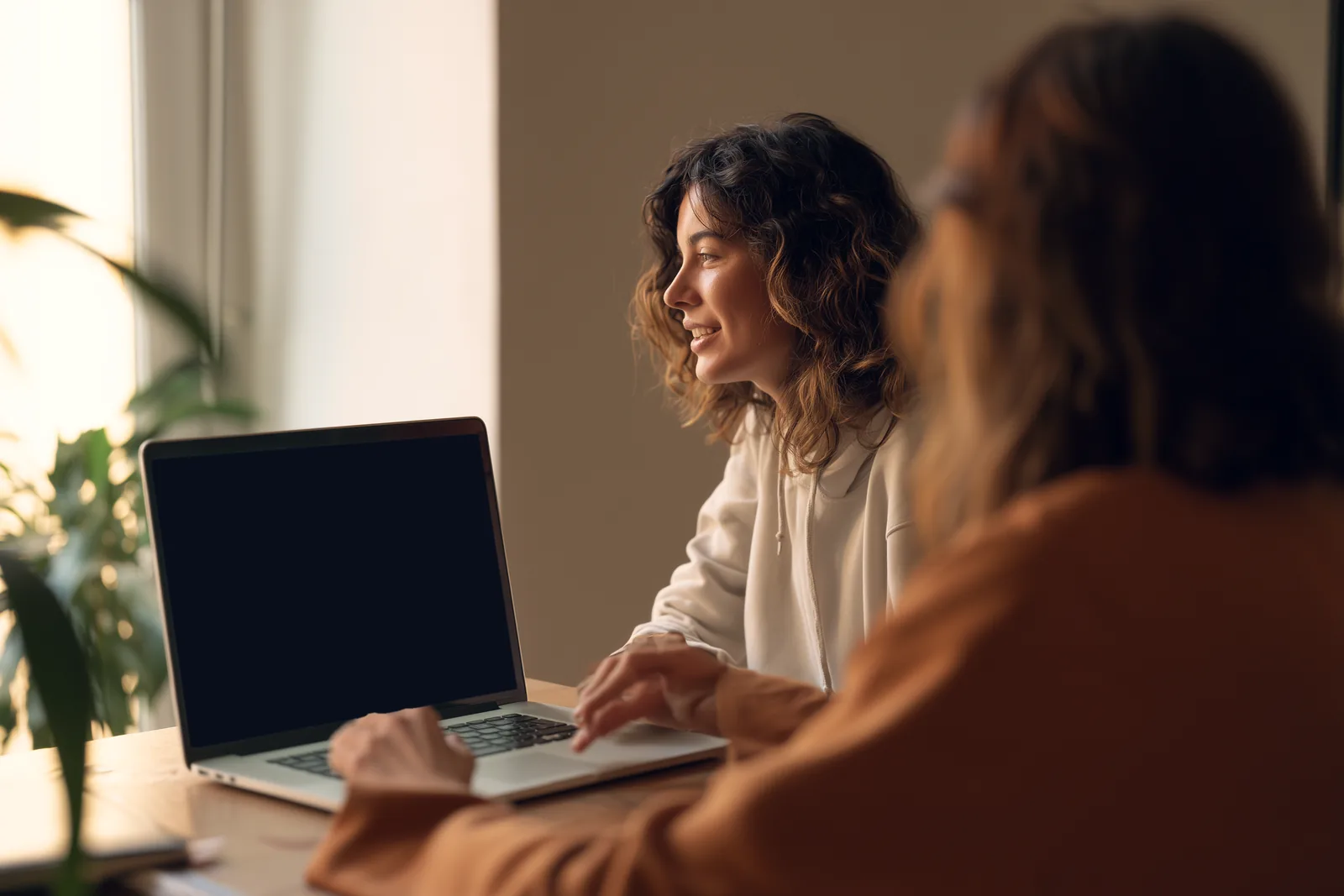
A meeting around a laptop; on its screen, a video call and Scribe’s small window recording it

You speak. Scribe writes.

  1. 1Put the phone down, talk.

    Scribe records the room, the call on your computer, or a file you already have.

  2. 2The text arrives voice by voice.

    Everyone keeps their name and colour.

  3. 3Tap a sentence, it plays again.

    Every word keeps the second it was said.

  4. 4The document writes itself.

    Decisions, open questions and follow-ups, with the minute each one was said.

Thursday call48 min · three voices · every word timed

Iris13:55

The website slipped a week, so the client presentation moves to the fourteenth.

Ravi18:43

Fine by me, as long as the budget is signed off before then.

Mae21:36

I will take the note on the presentation and send it round tonight.

DocumentWritten by Claude Opus 5

Client presentation: new date

IrisRaviMaeThu 2 Oct · 48 min

Decisions

13:55The client presentation moves to the fourteenth.

18:43The budget is signed off before the presentation.

Follow-ups

Send the presentation note roundM

Get the budget signed off before the fourteenthR

Recording

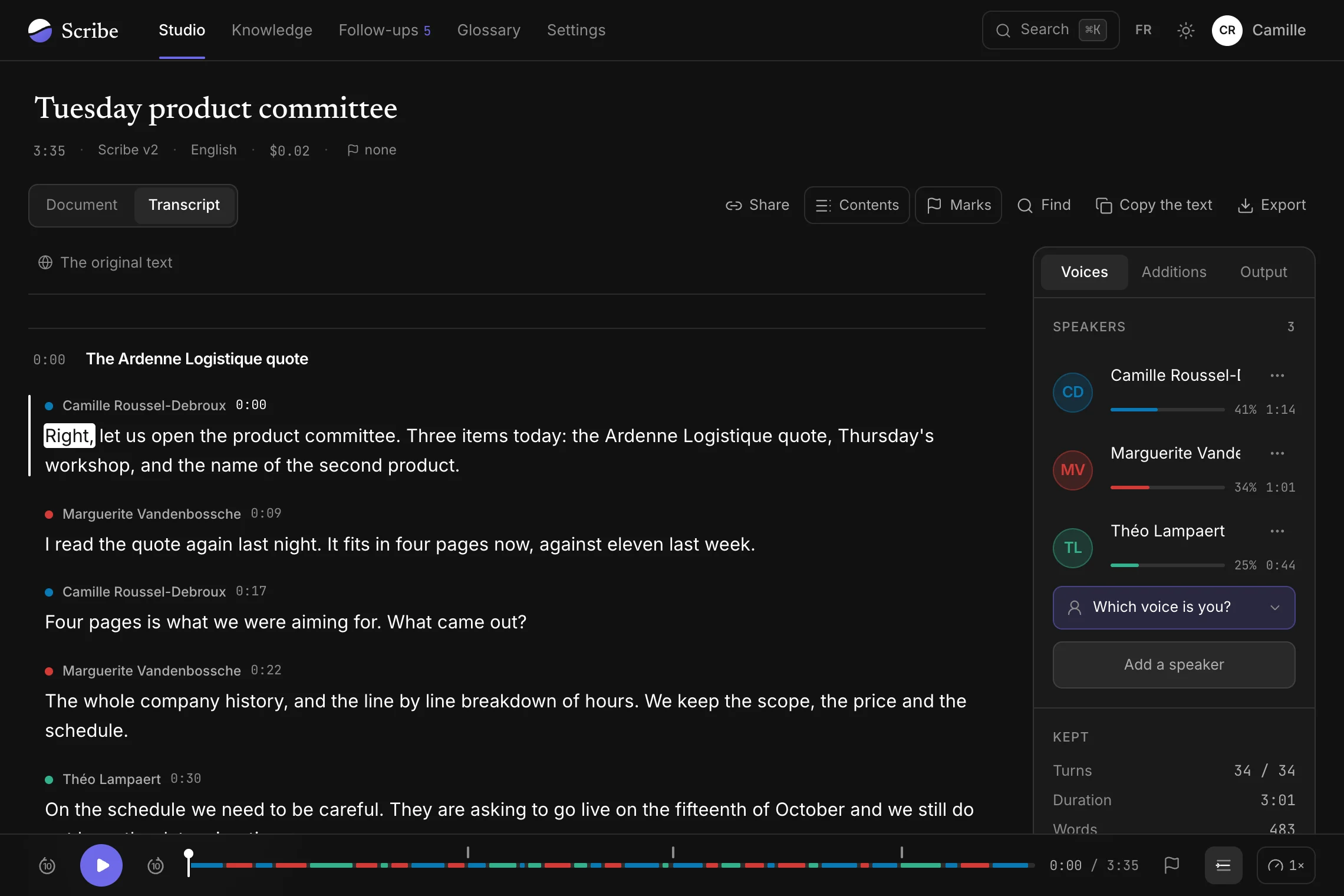
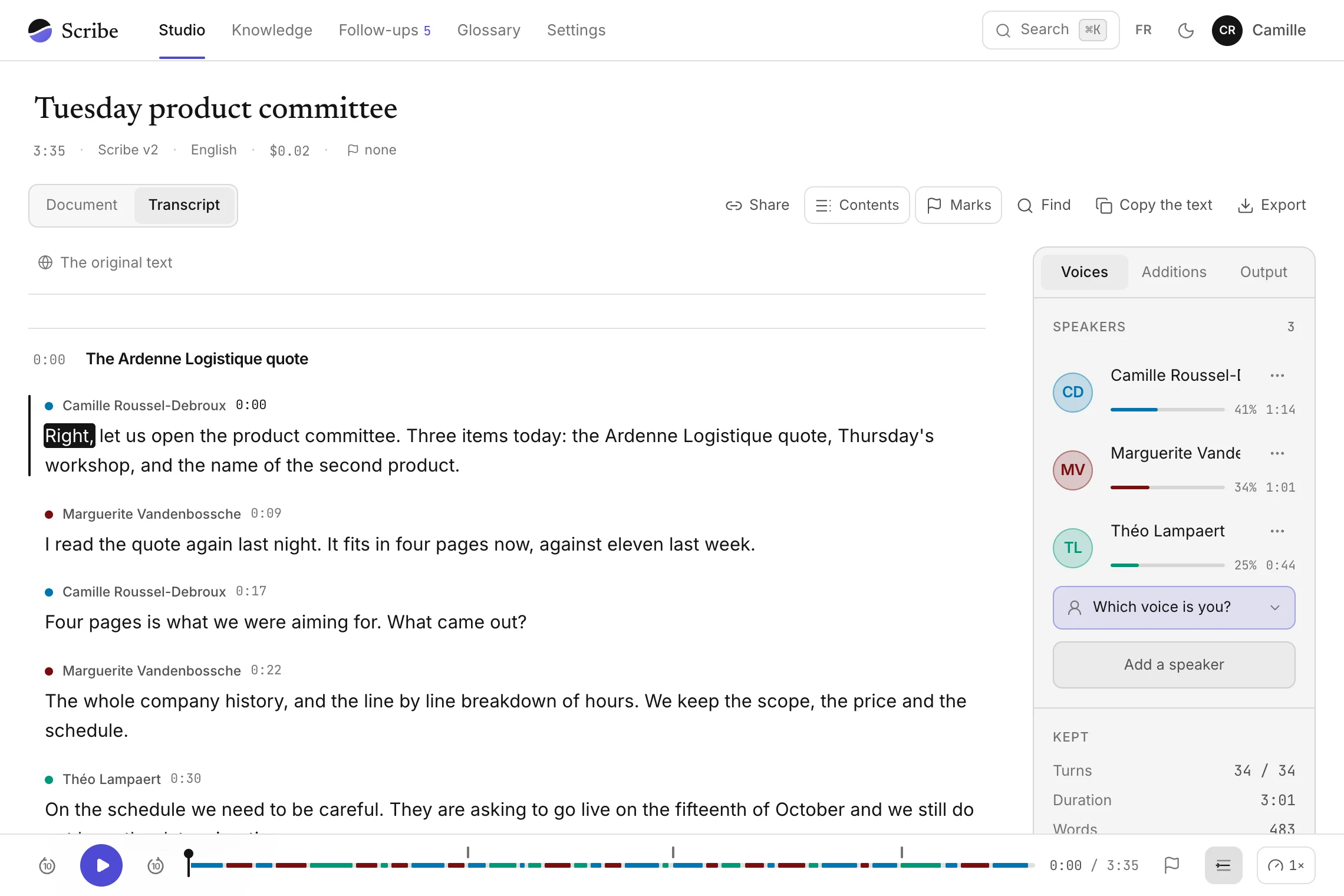
The transcript editor

A text you can rely on.

For an article, a report or an official meeting, every quote has to be checkable. Scribe ties every word to its second in the recording and lets you correct everything while you listen.

Scribe’s transcript editor: the product committee’s text, a word highlighted as it plays, the speakers panel and the band of voices
1

Tap a word, playback jumps there

Correct it in place while you listen. The text saves as you type.

0:03Good morning everyone, we open the product committee.

prodcutproductfixed while listening

2

Rename a voice once

The whole text follows. Two voices that are the same person merge, and Scribe recognises them in the next meetings.

Speaker 2→Marguerite Vandenbossche

Merge with…Listen to this voiceKeep only this voice

3

The band shows who is talking

Listen to one voice only, speed up, go back ten seconds, even out the quiet voices.

−10 s▶+10 s1.5×Even out the volume

4

Chapters, in one move

A two-hour meeting comes back in named parts, and the contents jump from one to the next.

0:00The Ardenne Logistique quote

1:12Thursday’s workshop

2:40Naming the second offer

5

Flag, search, export

Leave a passage out of the export, then take the text away as Word, PDF, subtitles or Markdown.

WordPDFSRT subtitlesWebVTTMarkdownTextJSON
6

A proofread that tells you where to look

A model reads the text knowing what it is about and points at terms, figures and doubtful passages, with what should be written.

Proofread2 of 5Term

“I read the Ardennes logistics quote last night.”

What should be written

Ardenne Logistique

Listen to this passageReplaceLeave

  • 1. Tap a word, playback jumps there

    Correct it in place while you listen. The text saves as you type.

  • 2. Rename a voice once

    The whole text follows. Two voices that are the same person merge, and Scribe recognises them in the next meetings.

  • 3. The band shows who is talking

    Listen to one voice only, speed up, go back ten seconds, even out the quiet voices.

  • 4. Chapters, in one move

    A two-hour meeting comes back in named parts, and the contents jump from one to the next.

  • 5. Flag, search, export

    Leave a passage out of the export, then take the text away as Word, PDF, subtitles or Markdown.

  • Proofread2 of 5Term

    “I read the Ardennes logistics quote last night.”

    What should be written

    Ardenne Logistique

    Listen to this passageReplaceLeave

    6. A proofread that tells you where to look

    A model reads the text knowing what it is about and points at terms, figures and doubtful passages, with what should be written.

Dictation, on Windows

Hold a key, talk.

Let go, and the whole text lands at once where you were typing, laid out, without the “um” or the words you took back. Right Ctrl by default, or the Copilot key.

New message

ToClaire Moreau

SubjectMockup presentation

Hi Claire,

Thanks for your feedback on the mockup.

I can confirm the presentation on Wednesday at 3 pm, so we can work in Julien’s comments.

Could you send me the signed contract back by Friday?

Thanks in advance.

Have a good day,
Hugo

14:22
05/10/2026

You say

Hi Claire, um, thanks for your feedback on the mockup. I can confirm the presentation on Tuesday at ten am, um no wait, Wednesday at three pm, so we can work in Julien’s comments. Could you um, send me the signed contract back by Friday? Thanks in advance, have a good day. Hugo.

CtrlFnWinAltAlt GrCopilotCtrl◀▲▼▶
  1. Hold the key
  2. Talk
  3. Let go

On Android

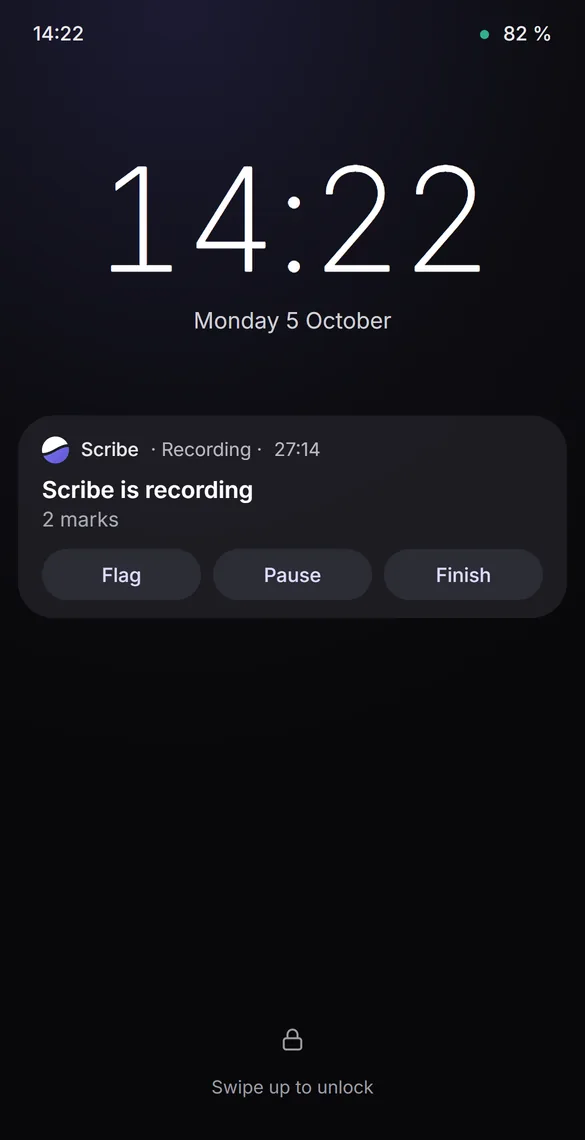
The phone in your pocket, the recording goes on.

Screen off or locked, Scribe records the meeting you are sitting in. The notification keeps the time, with one button to flag and one to finish.

14:22 82 %

14:22

Monday 5 October

Scribe · Recording · 27:14

Scribe is recording

2 marks

FlagPauseFinish

Swipe up to unlock

Lock screenThe notification reads without unlocking.
The month at a glanceIt folds away as you scroll down the list.

After the meeting, everything is already filed.

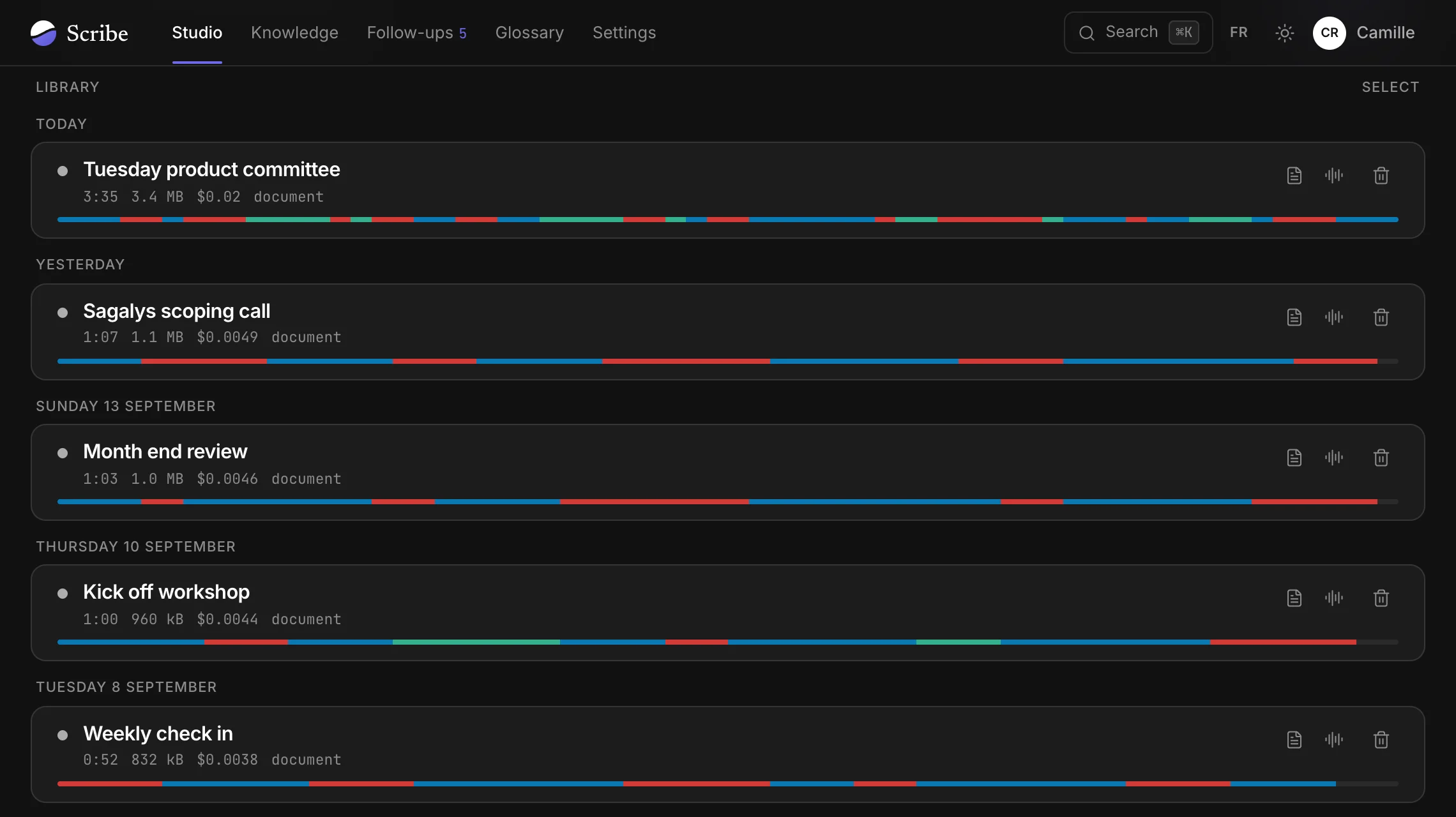
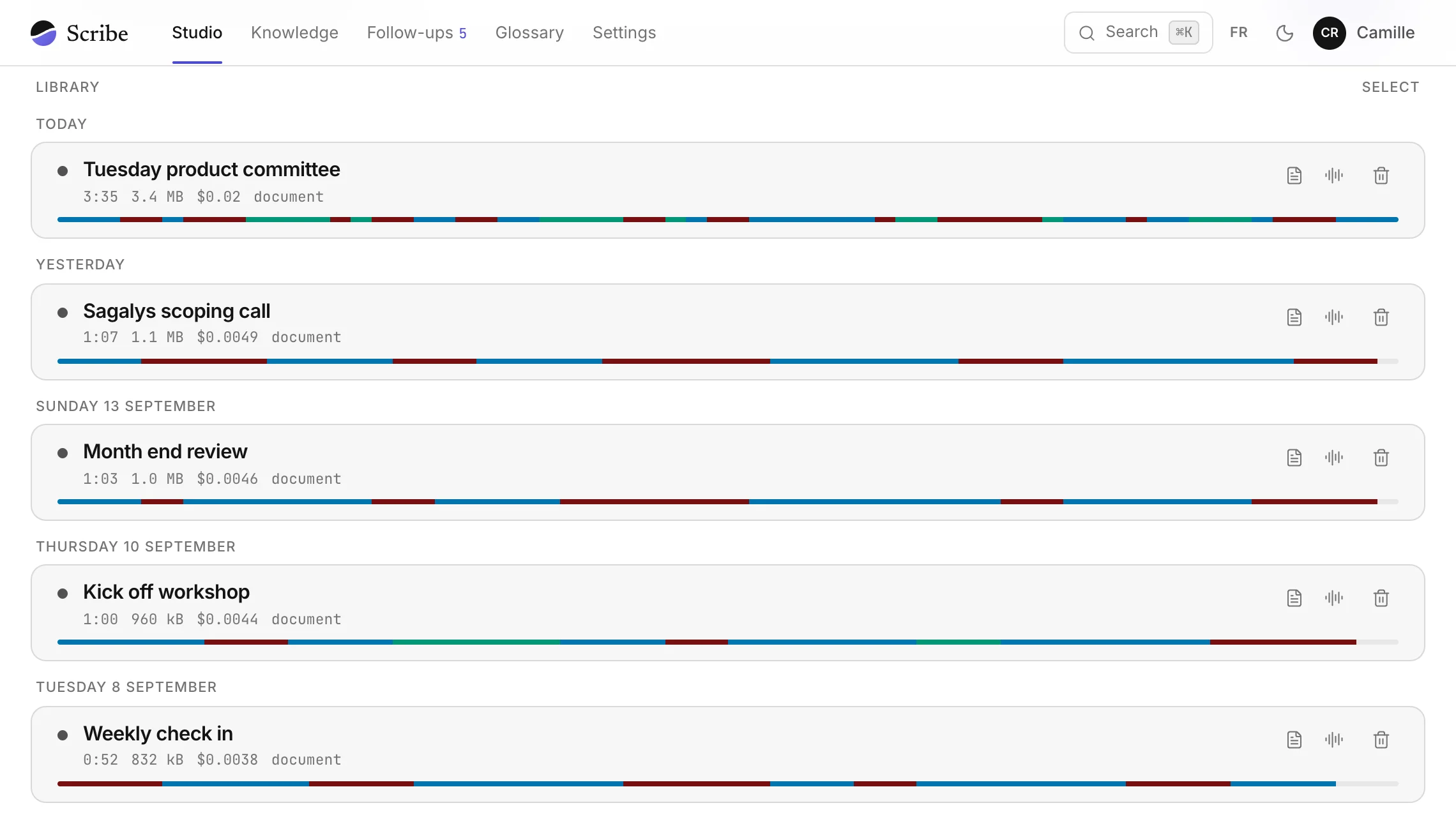
Tuesday’s product committee, as Scribe handed it back. Nobody took notes.

Promises made in the meeting land in your tasks.

Each one carries the name of whoever made it, is filed by project and ticks off in Google Tasks too.

Follow-upsArdenne Logistique

  • Resend the Ardenne Logistique quote in four pagesCamille · 0:42
  • Run a table at Thursday’s workshopThéo · 1:58
  • Check the contract deadlineMarguerite · 2:40
Ask your AI what was said six months ago.

Claude, Le Chat, Perplexity, Cursor and eleven other assistants answer from your meetings, naming which one and at what minute.

Where are we on the Ardenne Logistique quote?

Searched Scribe · 2 passages

It goes out tomorrow, cut to four pages from eleven, with a reservation on the data migration. Going live on 15 October stays provisional.

Tuesday’s product committee 0:10Tuesday’s product committee 0:31

And who runs Thursday’s workshop?

Théo Lampaert and Marguerite Vandenbossche, one table each, Thursday morning: Marguerite is only free in the morning.

Tuesday’s product committee 2:05

Keep the lines that matter.

You will find them six months from now without remembering which meeting they came from.

KnowledgeArdenne Logistique

The quote now fits in four pages, against eleven last week.Tuesday’s product committee · 0:10
Going live is requested for the fifteenth of October.Tuesday’s product committee · 0:31

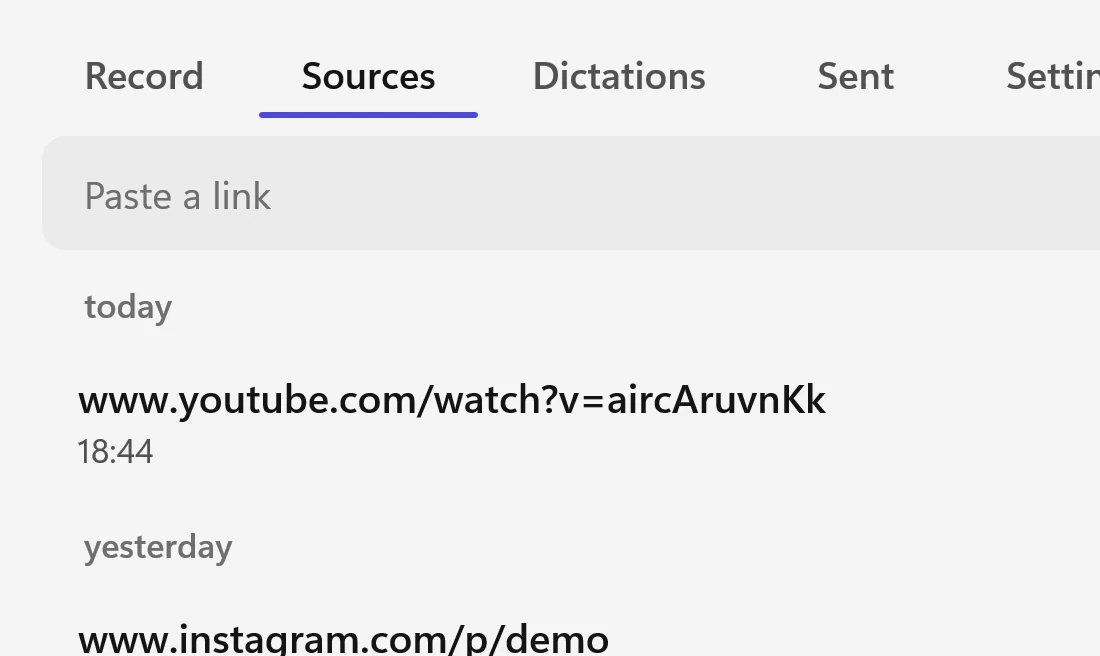
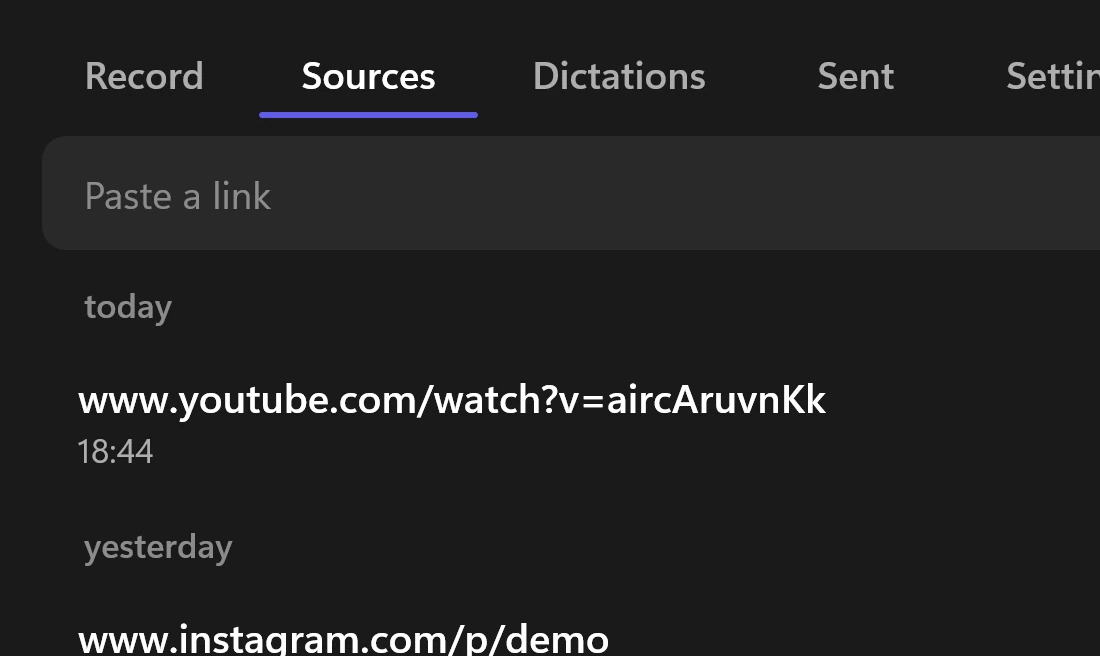
Paste a video link.

YouTube, Instagram or TikTok: Scribe writes it out and keeps what matters, like a meeting.

The Sources tab of Scribe on Windows: a field that takes a link, a YouTube video and an Instagram post

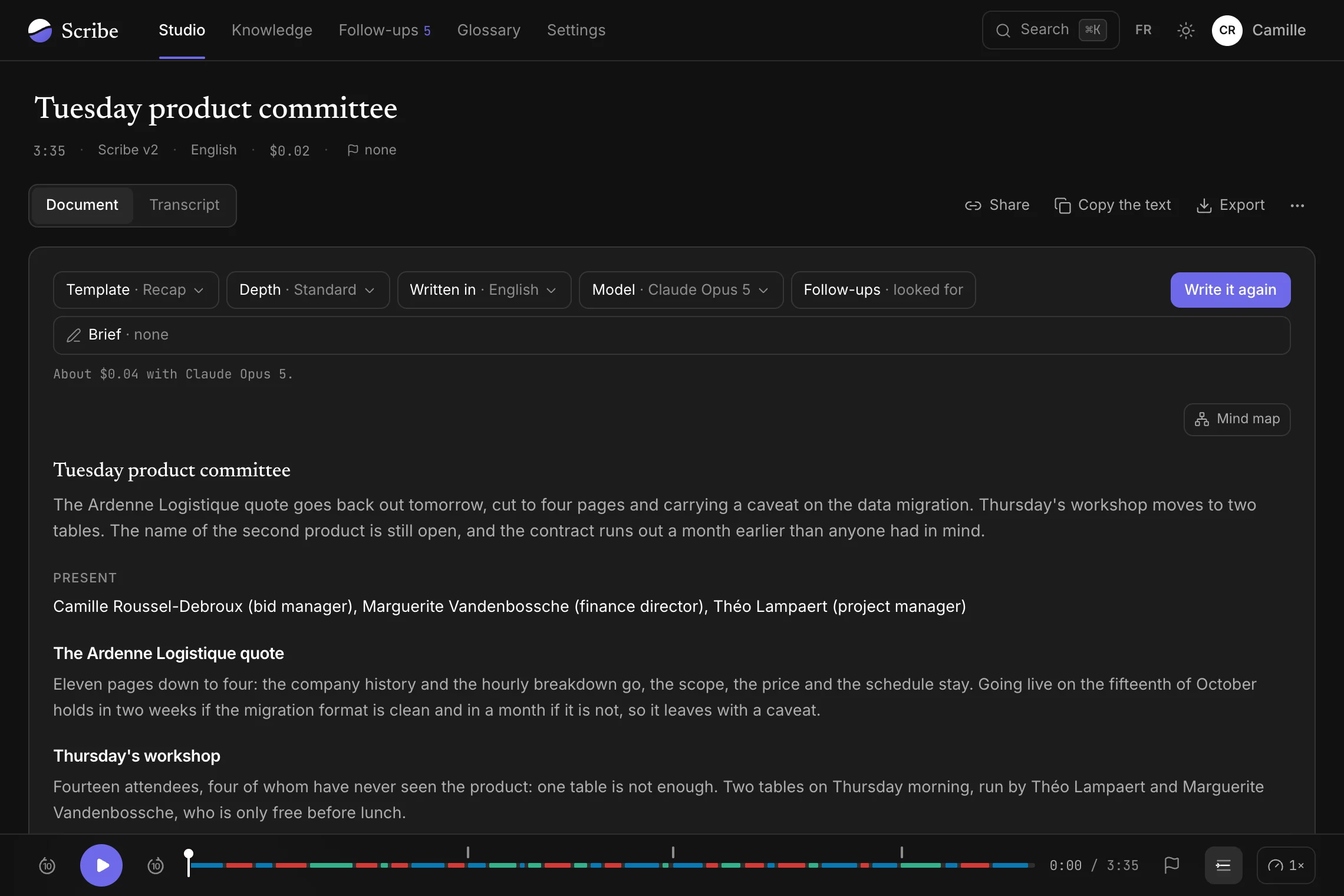
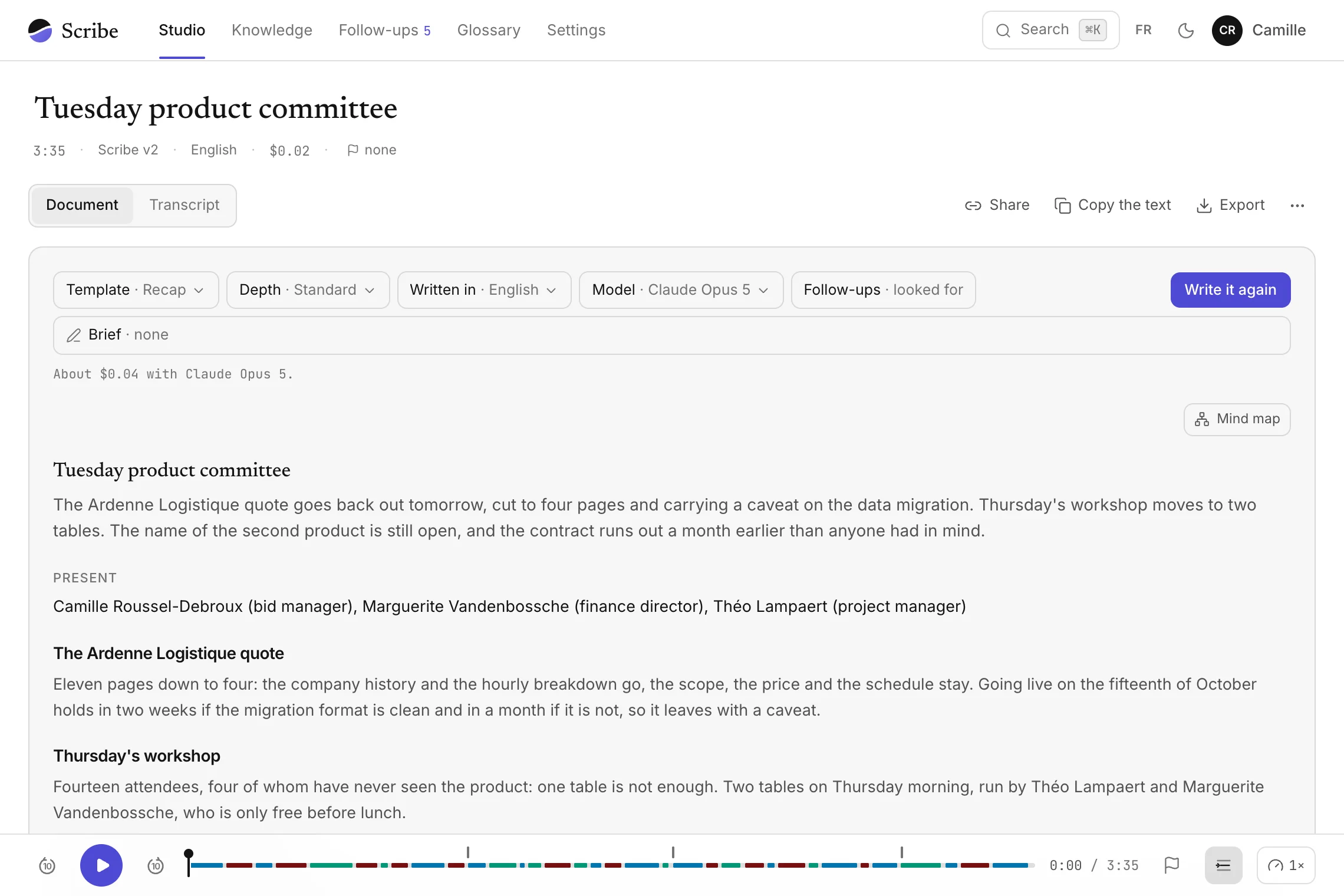
The document writes itself.

Who was there, decisions, open questions and follow-ups, written by the AI you choose with the minute each was said.

The document of the product committee, written by Claude Opus 5

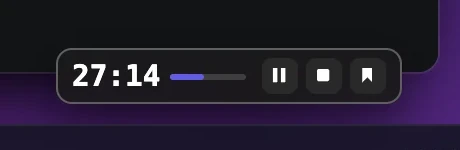
Flag the moment while it is being said.

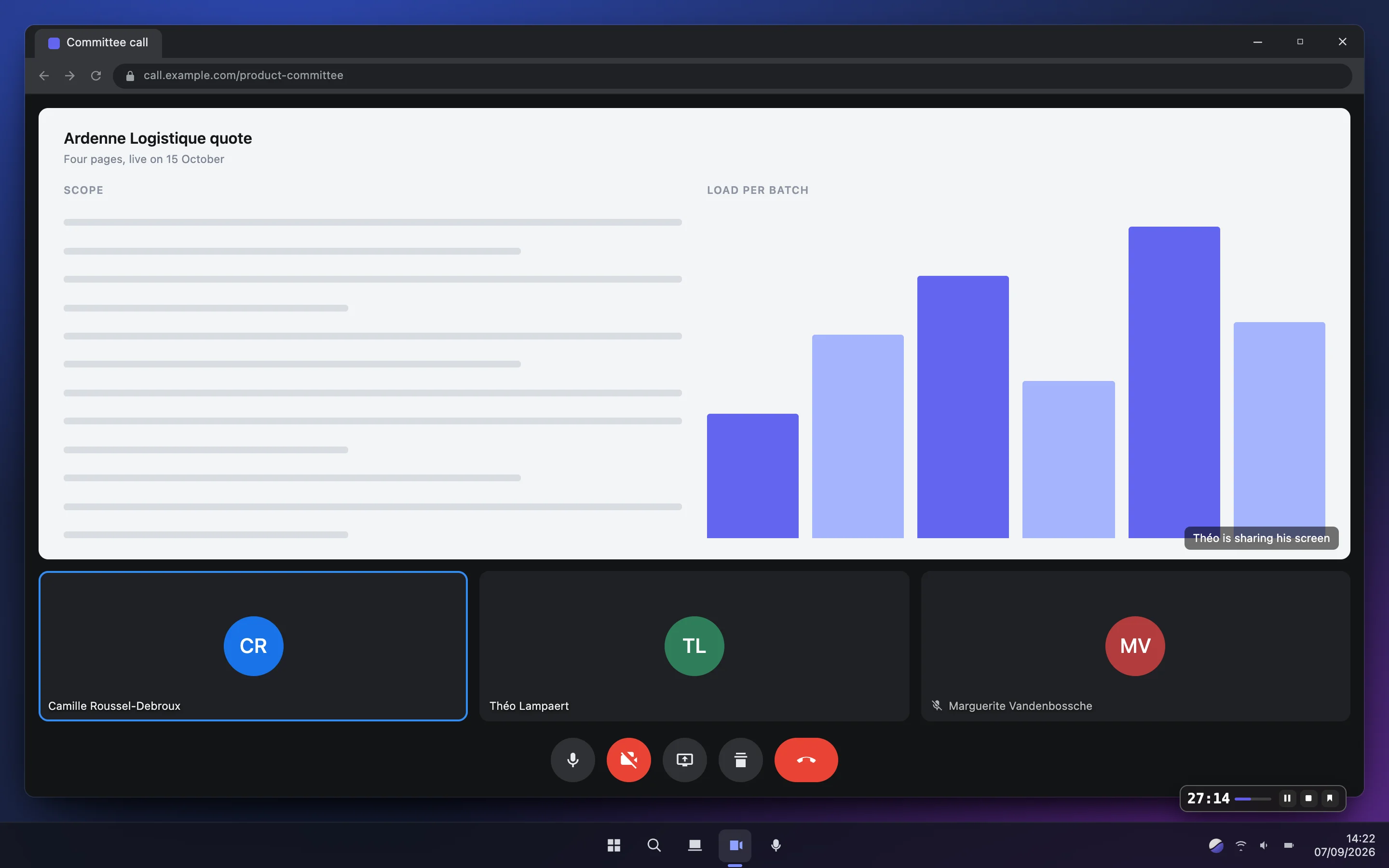
During a call, a small window keeps the time and a button to flag a passage. It hides when you share your screen.

Scribe’s small window over a video call: elapsed time, pause, stop and bookmark

97.8%

Among the most accurate transcriptions on earth.

97.8% of words written right. Measured by Artificial Analysis, an independent ranking that plays the same recordings to 55 tools and sells none of them. For a recording that needs it, another service is one choice away.

Compare all 20 transcription services
  • A meeting around a laptop open on Scribe’s library

    Team meetings

    The document is ready when the meeting ends, with each decision and the person who owns it.

  • A locked phone on a lecture-hall desk; its notification says Scribe is recording the lecture

    Students

    A whole term of lectures can be searched down to the word.

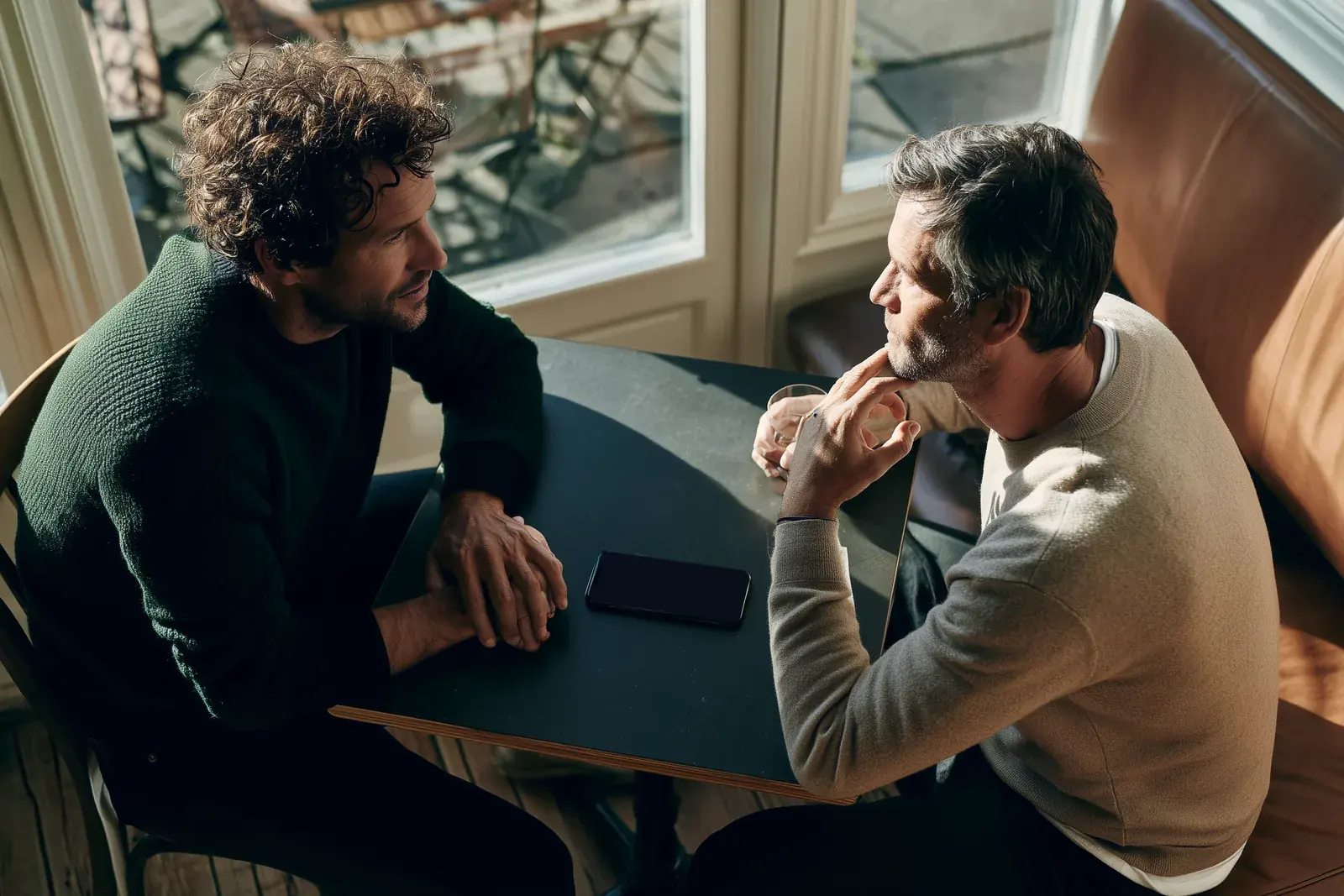
  • Two men in an interview at a café table, a phone recording with Scribe between them

    Interviews and theses

    Your interviews come back punctuated and split by speaker, ready to quote.

With the call apps you already use

TeamsZoomGoogle MeetWebexSlackDiscord

Scribe records the sound coming out of your computer, so any other app works too.

Your AI, in your name

Scribe puts the best AI to work for you.

The AI that listens and writes best comes from ElevenLabs, Anthropic, Google or Mistral. Your key opens it, and Scribe adds the tools it lacks.

1Your key

A code created at the maker, in your name. The AI bills you directly, at its public price.

sk-••••••••a41f

2Their best model

One to listen, one to write. You switch when a better one comes out.

Scribe v2 · ElevenLabsVoxtral · MistralClaude Opus 5 · AnthropicGemini 3.1 Pro · Google

3Scribe’s tools

  • The transcript editor
  • Recording everywhere
  • Video links
  • The document
  • Tasks and projects
  • Knowledge
  • The calendar
  • Dictation

4For you

A proofread text, the document, your tasks, and your assistant answering from your meetings.

The assistants that read your meetings, over MCP

  • Claude Code
  • Codex
  • Cursor
  • VS Code Copilot
  • Gemini CLI
  • Windsurf
  • Zed
  • LM Studio
  • Le Chat
  • Perplexity
  • Raycast
  • n8n
  • Cline
  • goose

Trademarks of their respective owners, no partnership.

You pay the maker, and nothing more.

Each AI bills you itself, at the price on its own site. Scribe costs 6.99 € a month and takes nothing on those bills. When a better AI comes out, you move to it for one recording or for all of them.

What is an API key?

A personal code the maker gives you on its site. Pasted into Scribe, it makes the AI’s bill arrive in your name.

  1. Open an account with ElevenLabs, the most accurate, or with Mistral, free and with no bank card.
  2. On that account’s “API keys” page, create a key.
  3. Paste it into Scribe, which checks it works before keeping it.
Scribe walks you through it screen by screen when you first sign in

Two ways to pay, one Scribe.

With your keys, you pay the AI to its maker, at its public price. All-inclusive, Scribe takes care of it and there is nothing to set up.

Your keys available

For anyone who already has a key, or wants to choose their AI.

5.75€a month, paid 69 € a year

6.99€a month, no yearly discount

14.88 € less than monthly · 0.19 € a day

0.23 € a day

  • The full editor, documents, tasks and knowledge
  • Transcription paid to the maker at its public price: 25 cents an hour with the default service
  • 25 GB of storage, hosted in the European Union
Start with my keys

Accounts by invitation for now. Your keys and your bills stay in your name.

All-inclusive the simplestsoon

For anyone who wants nothing to set up.

20.75€a month, paid 249 € a year

24.99€a month, no yearly discount

50.88 € less than monthly · 0.68 € a day

0.82 € a day

  • 35 h of ElevenLabs transcription a month, the most accurate service in the ranking: 0.71 € an hour if you use them all
  • AI-written documents, included
  • 25 GB of storage, hosted in the European Union
Tell me when it opens

Opens with online payment, with 1 h of free trial.

Student? 39 € for the whole academic year, with your university address. soon

Extra hours soon

Packs that never expire. The month’s own hours are used first.

+20 h 9.99 €+50 h 22.99 €

Storage

For both offers, when 25 GB is not enough.

+100 GB 2.99 € a month

Final prices. Special scheme for small businesses: VAT not applicable.

The two offers, line by line
Your keysAll-inclusive
The editor, documents, tasks and knowledgeyesyes
Transcription includednopaid to the makeryes35 h a month
Choose your AIyesfrom the cataloguenoElevenLabs, chosen for you
To set upOne or two keys to createNothing
Two meetings a week8 h of audio a month≈ 9 €of which 6.99 € for Scribe24.99 €included
An hour a day20 h of audio a month≈ 12 €of which 6.99 € for Scribe24.99 €included
Two hours a day40 h of audio a month≈ 17 €of which 6.99 € for Scribe34.98 €with 20 h extra

* Worked out at the rate of the default transcription service, 25 cents per hour of speech. For comparison, checked in September 2026: Descript Creator, $35 a month for 30 h; Sonix Advanced, $50 a month for 20 h.

Before you upload a private meeting

Another question?

About privacy, pricing or your own case: write to us.

Ask my question

Only you and the people you send it to.

Your files are kept in the European Union, go through the transcription service on your account to be written out, and a recording you throw away is erased after 14 days in the bin.

You leave in one click with the text in 5 formats and the document as a Word file.

With “Your keys”, yes: one key in your name at the service you choose, and Scribe walks you through creating it. With “All-inclusive”, no.

On Windows, yes: Scribe records the sound coming out of your computer along with your microphone, so any call app works.

Yes: give it up to a thousand names of clients, products or in-house abbreviations, sent with every transcription.

A woman on a call at her desk; her computer shows a Scribe document

Try it on your next meeting.

New accounts are by invitation for now, and anyone who already has access signs in here.

Continue with Google
Scribe
ContactPrivacyTermsLegal notice
A question: contact@swalent.comTrademarks belong to their owners; Scribe is not affiliated with any of these services. Device frames: Magic UI, MIT licence. Android is a trademark of Google LLC; the Android robot is reproduced or modified from work created and shared by Google and used according to terms described in the Creative Commons 3.0 Attribution License.